
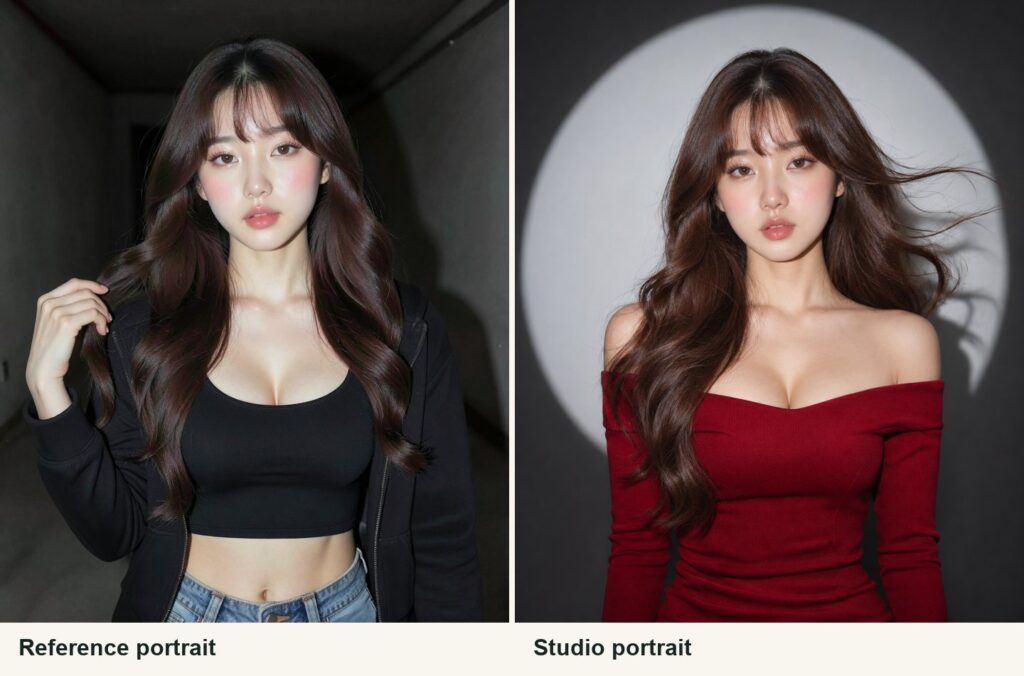
The circle on the wall and the light on the model’s face do different jobs. The circle makes the dark hair easy to see against the charcoal background. A softer light from the front gives the eyes a catchlight and keeps the shadow under the nose small. Asking for each light separately was the starting point for this edit.
The comparison shows our AI-generated model in her original black hoodie and in the finished red-dress portrait. We supplied a second photograph to guide the wardrobe, lighting, and movement of the hair.
Copy the studio spotlight prompt
Use the first uploaded portrait as the identity reference and the second as the lighting and wardrobe reference. Photograph the woman from image one in a deep red off-the-shoulder dress, waist-up, facing the camera. Preserve her facial proportions, brown eyes, wispy bangs, chestnut hair color and natural expression. Place a single large circle of white light on a charcoal studio wall behind her. Keep its edge visible above and beside her head. Light her face separately with soft frontal light slightly above eye level. Add a gentle fan from camera left so a few long waves lift toward camera right while the bangs still frame her eyes. Retain realistic skin texture, detail in the red fabric and the shadow outside the spotlight. Vertical 4:5 editorial studio photograph, no lettering or watermark.Tested with OpenAI image generation using the reference portrait shown above.
Set up the reference images
Attach your subject’s photo first and a studio lighting reference second. Tell the editor which face to preserve. Swap the words about eye color and hair to match your subject. If you have only one photo, replace the first sentence with “Use the uploaded portrait as the identity reference” and keep the written lighting and wardrobe directions.
What to look for in the result
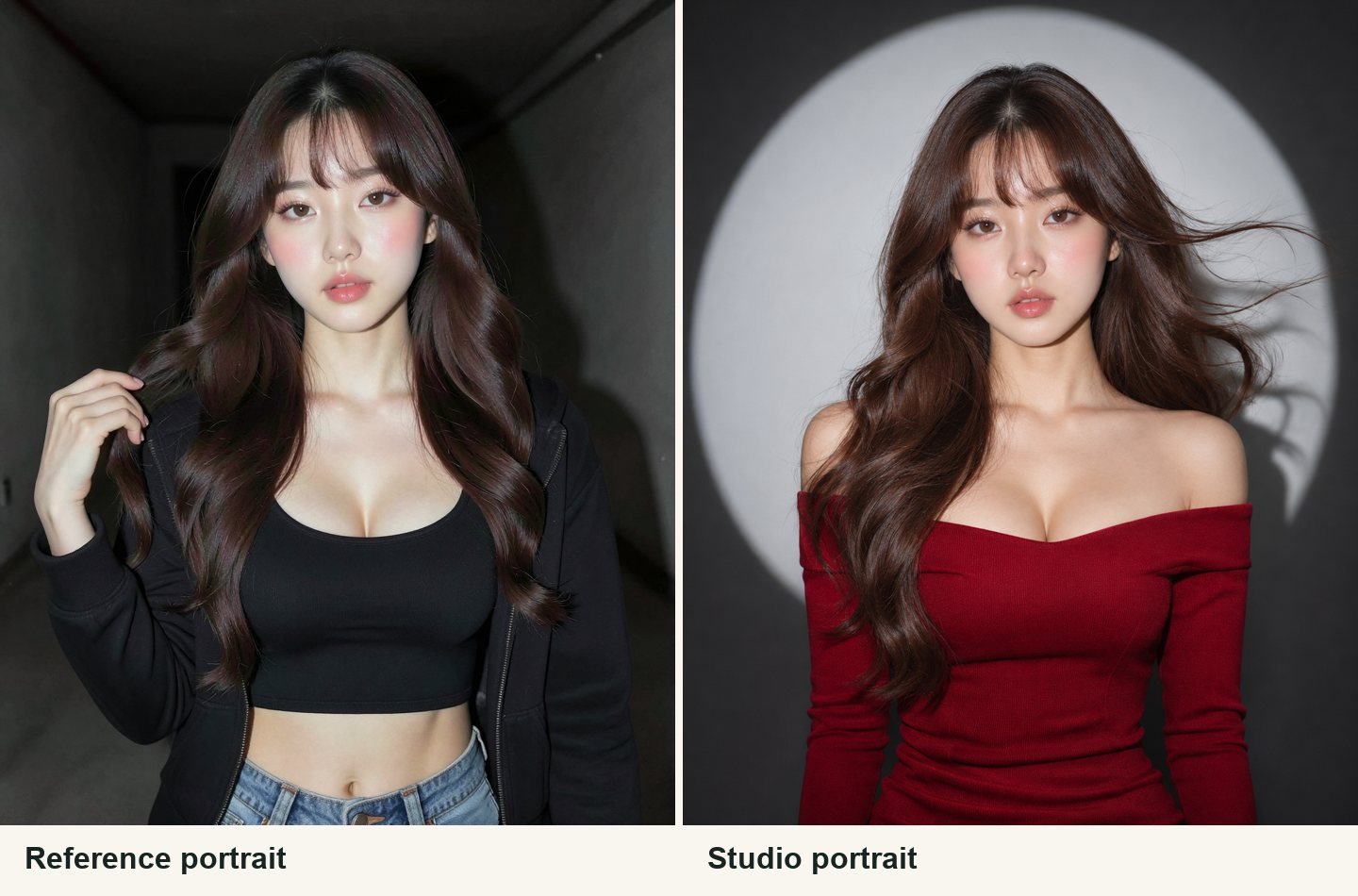
The wispy fringe and direct gaze are recognizable in both versions. In the studio edit, loose strands lift toward the right side of the frame. Look just beyond them and you can see their shadow on the bright circle. The red neckline and bare shoulders also change the silhouette, so the eyes and fringe are better landmarks for judging the likeness.
View the side-by-side comparison at full size.
If the circle looks like a halo
A small disk centered tightly behind the head can look like a graphic pasted onto the portrait. Try one change: “Widen the pool of light until its edge extends beyond both shoulders, leaving the upper corners charcoal.” If the face also becomes too bright, return to your previous edit and ask to change only the light on the wall.